

Rebuild Website from Internet Archive: A Guide
Discover how to rebuild website from Internet Archive. Our guide provides a comprehensive approach to recovering your lost website data.

"I forgot to renew and now I can't access anything. Years of work just... gone."
"My site showed spam and now it's completely gone. I have no backup anywhere."
"Someone deleted it and I have no backup. The developer disappeared."
Need a Custom Plan?
Contact Us
Need a Custom Plan?
Contact Us

/Per Site 24-48 Hours Delivery
Need a Custom Plan?
Contact Us
/Per Site
⏱️ 3-5 Days Delivery
Includes: HTML ($30) +
WordPress Setup / integration ($80)
Need a Custom Plan?
Contact Us
Share your details with us. Our team’s experts will assist you and make a great offer and reliable solution for you with 30-Days premium support.
Restoring your website is simple, transparent, and stress-free with us.
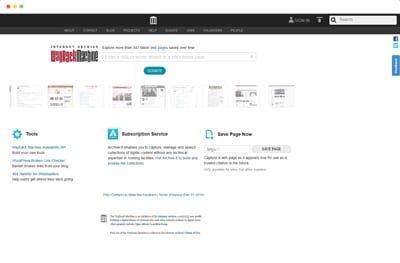
Just go to the Wayback Machine, choose the version of your website that you want recreated (choose the best-working version), send us the link via order form, and wait.
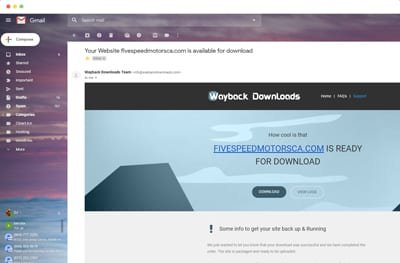
We rebuild design, content & structure with same layout. You will receive an email containing the download link, logs file & helpful tip to get you up and running.
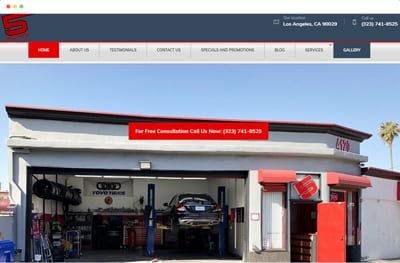
All you will need to do is upload them to the server or hosting and unzip them. you’ll then have a a replica version of your site like web archive.

Wayback Revive is a professional US-registered web restoration & digital recovery agency specializing in restoring deleted websites from wayback machine, rebuilding archived websites, and recovering lost online assets for businesses, bloggers, and e-commerce brands.
At Wayback Revive, we specialize in seamless archived website restoration services that prioritize accuracy and user experience. Our expert team works diligently to recover your website from Wayback archive while maintaining SEO integrity, ensuring your site is ready to perform effectively in search rankings.
Our skilled team restores your lost websites from archive with accuracy and precision.
Once restored, your site will be easy to edit and manage, allowing for seamless updates and changes.
We prioritize SEO-friendly restoration to retain your website visibility and performance.
We focus on delivering high-quality restorations that reflect your original design and functionality.
Wayback Revive is built for anyone who can’t afford to lose their website, data, or search visibility and needs a fast, reliable recovery.
Get your website back online without starting over.
Common Situations:
Protect rankings, backlinks, and organic traffic.
We Understand Your Needs:
Best for: SEOs who care about performance, not just visuals.
Restore value from expired or acquired domains.
Not Sure Which One Fits Your Case?
Our experts will review your website and recommend the safest recovery path.
No Hidden Fees
Now that you know what we offer, here’s what it costs
Recover your archived website exactly as it appeared on the Wayback Machine.
Recover your archived website exactly as it appeared on the Wayback Machine.
Recover your archived website with new design / layout using archive data
If we can't restore your site, you pay nothing. Zero risk.
Posted on Google
 Alan Wood
Trustindex verifies that the original source of the review is Google.
Once I got over the cost it has been a very rewarding experience. Things that I did not know were explained and in many cases done for me. It has been an enlightening experience. I am not a programmer just someone who likes using a computer and learned through doing rather than being taught. I have children and grandchildren who are very proficient and work in the computer field , however they confuse me with tasks above my level. At the same time they have little desire to learn how to recover my system. It is a pleasure to work with someone dedicated to the task at hand. Thank you!!!Posted on Google HK AI had deactivated my website a couple years ago and now that I needed it, I thought it was lost for good. A friend suggested Wayback Machine... great, my site was mostly all there, but I douldn't restore it as I lack the skills. Then I came across Wayback Revive and I thought I'd take a chance. Wow... am I glad I did. They restored my site promptly, communicated quickly and clearly, and their prices were more than reasonable. 5 Stars + !!! Thanks Wayback Revive... you saved me many hours and headaches.Posted on Google
 TemplatecrateMy Personal website was deleted, but they helped me restore it correctly. Very professional service and responsive support. I’m extremely satisfied. I love this team and recommend them to anyone who needs to rebuild a website.Posted on Google
 Evolutionary Martial ArtsI was nervous to try a site recovery service, but these guys did a flawless job. They handled everything from archive retrieval to WordPress conversion. Now my site looks like it never disappeared. Thank you!Posted on Google
 Yahya sandhuGreat experience from start to finish. They walked me through every step, restored my archived site, and even helped with some updates I needed. Super friendly and reliable serviceVerified by TrustindexTrustindex verified badge is the Universal Symbol of Trust. Only the greatest companies can get the verified badge who has a review score above 4.5, based on customer reviews over the past 12 months. Read more
This is often due to the absence of the .htaccess file on your server or viewing the site on your local machine. Please ensure to follow our step-by-step installation guide to set up a fully functional website. The .htaccess file helps rewrite URLs, ensuring that links direct correctly to archived content. If you're unsure about this process, check our detailed installation guide.
Yes, we can often recover content from archives like the Wayback Machine or search engine caches. While these may not always give 100% recovery, we’ll restore as much as possible.
We check multiple archives and sources. If we truly can't find any version of your site, you get a full refund—no questions asked. You only pay when we deliver results
If you choose WordPress or Custom Build, absolutely! We'll set up an easy-to-use dashboard where you can edit text, add images, and make changes without any coding knowledge. We even include a quick tutorial!
It depends on site size, complexity, number of missing pages, and how much we can recover from archives. The HTML websites usually take 1 to 2 days, while WordPress integrations take 3 to 5 days.
Yes! We offer managed hosting for $20/month. This includes SSL certificate, daily backups, security monitoring, and WordPress updates (for WP sites). Or you can host with any provider you prefer.
Yes, we can often recover content from archives like the Wayback Machine or search engine caches. While these may not always give 100% recovery, we’ll restore as much as possible.
We fix all internal links and update image paths to be relative. Everything works out of the box. We also can update to your new domain if different from the original
Absolutely. We provide clean HTML that's ready to deploy. No footprints, no bloated code. Many SEO professionals use our service for expired domain recovery.
Yes! You get everything—HTML, CSS, JS, images, and all source code. Files are delivered as a clean ZIP archive ready to deploy on any server or integrate into your existing infrastructure.
Yes, we work to keep URLs, meta tags, content, and site structure consistent so search engine value is preserved. If redirects are needed, we'll implement them properly as per your service package.
Stay informed with expert guides and insights about website restoration, Wayback Machine recovery, WordPress rebuilding, and SEO improvements. Our articles help website owners understand how to recover lost websites, protect their digital assets, and keep their websites performing at their best.
Discover how to rebuild website from Internet Archive. Our guide provides a comprehensive approach to recovering your lost website data.

Expert HTML to WordPress restoration service. We convert outdated HTML sites to modern WordPress platforms, enhancing functionality and user experience.
“We show you how to restore crashed website from archive. Get back online quickly with our simple, step-by-step recovery process.”